
Panic Button
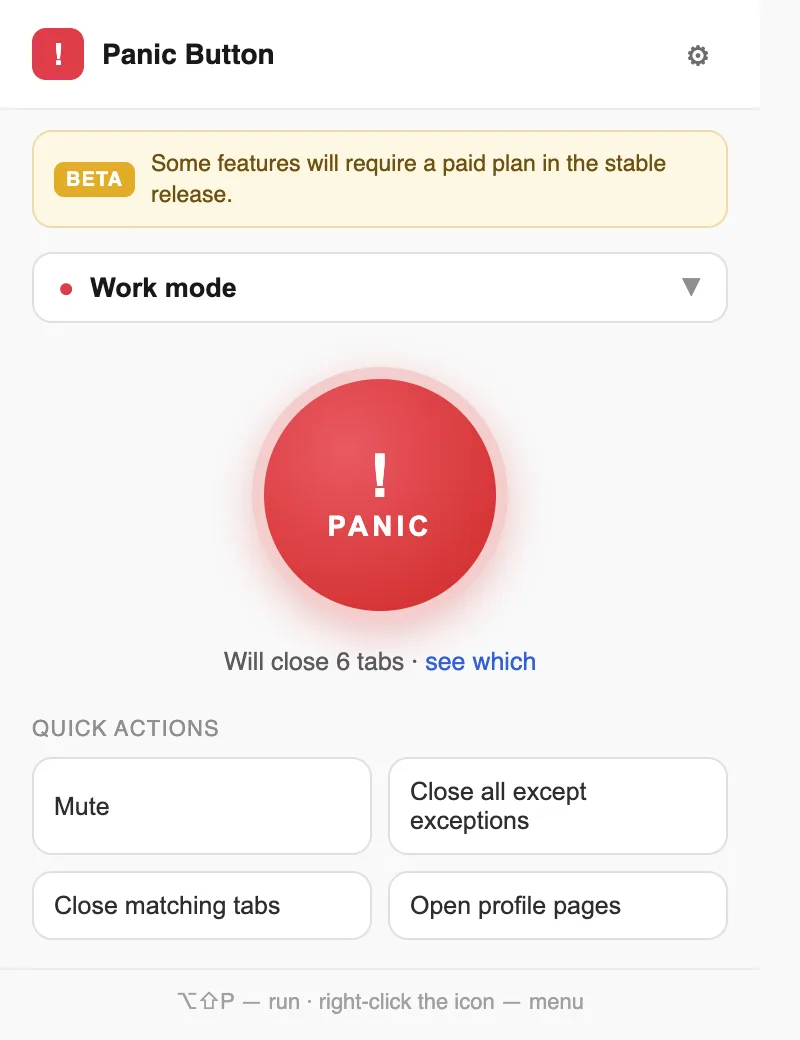
Close a predefined set of tabs in one action — audio muted first, the session saved locally, restored later.
Who it helps
Chrome users who want to instantly hide or close predefined tabs — when sharing a screen or switching contexts — and restore the session later.
The problem it solves
Sensitive or distracting tabs are a click away from being seen; manually closing a set of tabs loses the session.
What it does
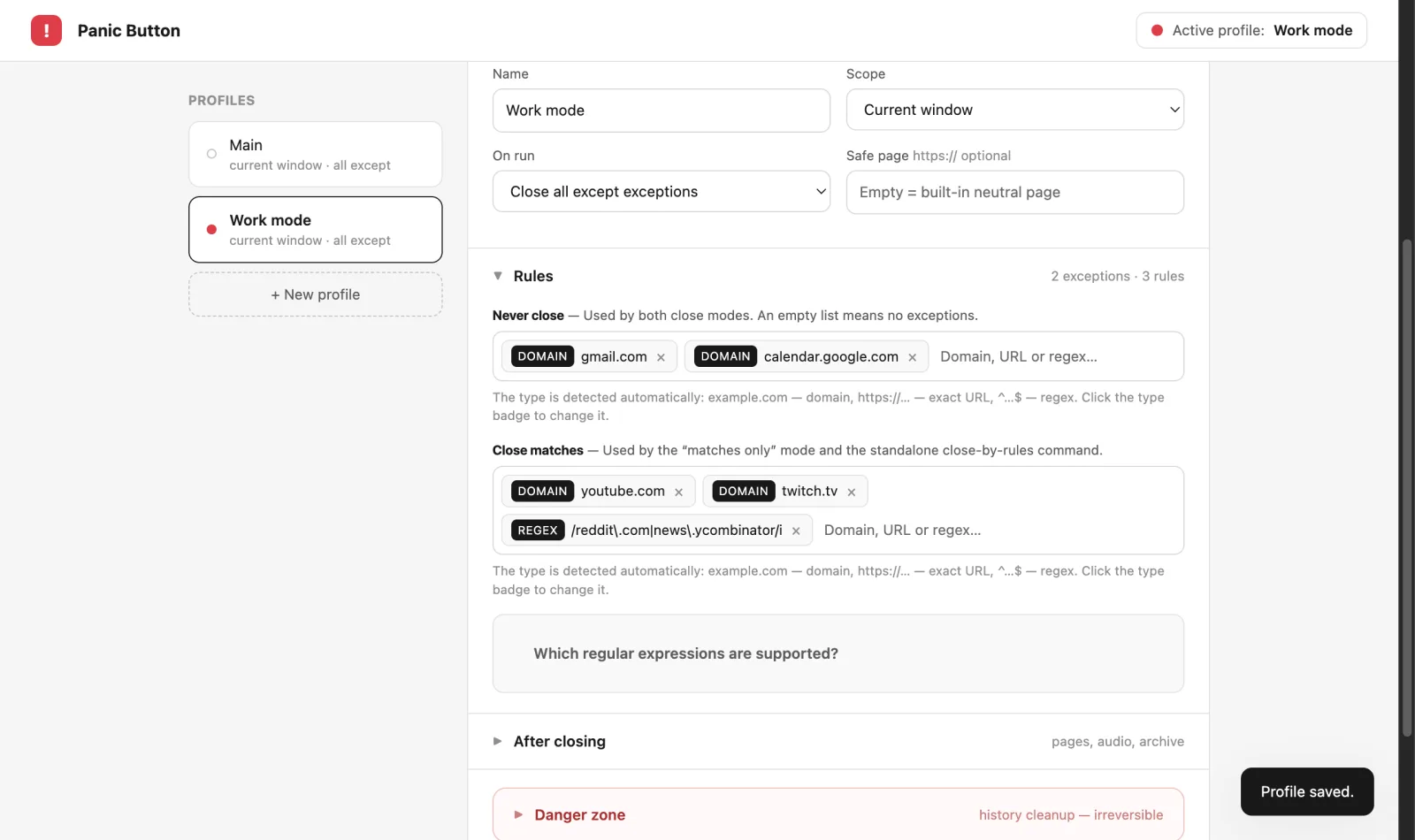
- Closes tabs matching keep-lists and close-lists (domain, exact URL or regex rules) from a toolbar popup, hotkey or mouse gesture
- Shows a live preview of what will close before running
- Mutes audio before closing; muting also works as a standalone toggle
- Saves a snapshot to a local archive and restores URLs, order, windows, pinned state and tab groups
- Up to 50 profiles with per-profile rules and scope
- Local-first: no account, no analytics, no remote code; Chrome Sync of sessions is optional
In beta. Some features will require a paid plan in the stable release; everything listed here works today.
More of the product
Links and support
Originally published by My Little Indie Studio.
Product built by Oleg.